Working from home isn’t a novelty anymore, it’s a fixture. But cramming a functional office into a spare corner or bedroom can feel like solving a Rubik’s Cube blindfolded. The difference between a productive workspace and a cluttered frustration zone often comes down to smart choices about location, furniture, and layout. This guide cuts through the fluff and lays out practical strategies to carve out a legitimate home office, even when square footage is tight. Whether you’re working with a closet, a hallway nook, or a slice of the dining room, these proven design tactics will help create a space that actually supports focused work.
Table of Contents
ToggleKey Takeaways
- Strategic location selection—prioritizing natural light, minimal foot traffic, and proper power/internet access—is the foundation of a functional small office ideas for home setup.
- Space-saving furniture like wall-mounted desks, compact task chairs, and multi-functional storage pieces are essential when square footage is limited, allowing a 4×4-foot corner to accommodate a full workstation.
- Vertical storage solutions including pegboards, floating shelves, and over-door organizers keep clutter controlled and maintain focus without consuming valuable floor space.
- Layered lighting combining ambient, task, and accent sources—particularly LED desk lamps with 4000-5000K color temperature—reduces eye strain and supports productivity during long work sessions.
- Cable management via power strips, raceways, and label organization can be completed in 30 minutes and dramatically improves the perceived organization and functionality of a compact workspace.
- A thoughtful color palette of neutrals with productivity-supporting accent colors like blue and green, paired with minimal decor, creates a calm environment that enhances concentration even in tight layouts.
Choosing the Perfect Location for Your Home Office
Location matters more than aesthetics when setting up a home office. The best spot balances natural light, minimal foot traffic, and separation from high-activity zones like kitchens or living rooms.
Start by mapping out existing power outlets and network access points. Running extension cords across walkways or relying on weak Wi-Fi signals sabotages productivity before you’ve typed a single email. If the only viable spot lacks outlets, consider hiring an electrician to add a dedicated circuit, especially if you’re running multiple monitors, printers, or other equipment. This kind of upgrade typically requires a permit and should follow NEC (National Electrical Code) standards.
Corners and alcoves work surprisingly well for small offices. A 4×4-foot corner can fit an L-shaped desk setup with room for a task chair. Unused closets also convert into micro offices: remove the door, add a floating desk surface mounted to wall studs with heavy-duty brackets (rated for at least 50 pounds per linear foot), and install overhead lighting.
Avoid placing your desk facing a wall if possible. Positioning your monitor perpendicular to a window reduces glare while keeping natural light available. If the only option is a windowless interior space, plan to compensate with layered artificial lighting (covered later).
Noise is another critical factor. If the home office shares a wall with a nursery, laundry room, or home theater, sound will bleed through. Adding acoustic panels or even a heavy curtain on the shared wall cuts down on distractions without major construction.
Space-Saving Furniture That Works Double Duty
When floor space is limited, furniture needs to earn its keep. Single-purpose pieces are a luxury small offices can’t afford.
Wall-mounted desks are the simplest space-saver. A fold-down desk takes up zero floor space when not in use and can be built with a piano hinge and a 3/4-inch plywood panel. Mount it to wall studs with lag screws, not drywall anchors. Folding legs or brackets rated for 150+ pounds provide stability when deployed.
For those needing permanent desk space, consider a Murphy desk or secretary-style cabinet that closes to hide clutter. These work especially well in living rooms or bedrooms where the office needs to disappear after hours.
Multi-functional furniture becomes essential in tight layouts. A file cabinet doubles as a side table or printer stand. A storage ottoman serves as extra seating and hides cables, notebooks, or equipment. Floating shelves above the desk keep references and supplies accessible without eating into legroom.
Skip the bulky executive chair in a small office. A compact task chair with a smaller footprint (around 24 inches wide) fits better and still provides lumbar support. Look for models with a waterfall seat edge to reduce pressure on the back of the thighs during long work sessions.
If the office shares space with a bedroom, a loft bed can free up the entire floor below for a desk setup. This works best with ceilings at least 9 feet tall and requires solid anchoring to studs or joists. Always check local codes, some jurisdictions have height restrictions on elevated sleeping surfaces.
Smart Storage Solutions to Keep Clutter at Bay
Clutter kills focus. In a small office, every item needs a designated home, or the space turns into a junk drawer with a chair.
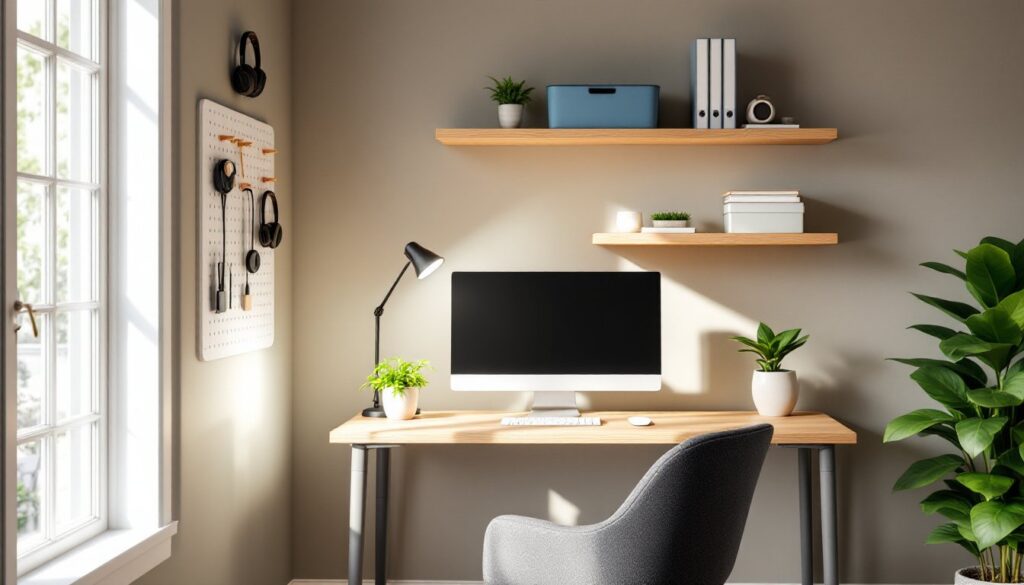
Start with vertical storage. Wall-mounted pegboards, slat walls, or grid systems let you hang tools, headphones, charging cables, and supplies without using desktop real estate. Install them directly into studs for maximum weight capacity.
Floating shelves work well above desks or along empty walls. Use 1×8 or 1×10 boards (actual dimensions: 3/4″ × 7.25″ or 3/4″ × 9.25″) with concealed brackets for a clean look. Space shelves 12 to 15 inches apart for books and binders, or closer for smaller items.
For paper and files, a rolling cart beats a traditional filing cabinet in a cramped space. It tucks under the desk when not needed and can move to wherever the work is happening. Look for models with locking casters to prevent rolling during use.
Drawer organizers and cable boxes prevent the dreaded desk-drawer chaos. Use small bins or dividers to group pens, chargers, and sticky notes. A simple rule: if it doesn’t fit in a designated bin, it doesn’t belong in the office.
Don’t overlook the back of the door. Over-door organizers with pockets handle everything from file folders to power strips. Tension rods inside shallow cabinets create vertical dividers for notebooks or tablets.
Many small home renovation projects include custom storage built into awkward spaces. A narrow pullout drawer between studs (14.5 inches wide in a standard 16-inch on-center wall) can hold office supplies or charging stations. Cut an access opening, frame it with 2×4s, and add a drawer slide rated for side-mount installation.
Lighting Strategies for Small Office Spaces
Lighting affects everything from eye strain to mood. A single overhead fixture won’t cut it in a workspace designed for long hours.
Layer three types of light: ambient, task, and accent. Ambient lighting provides general illumination, think ceiling fixtures or recessed cans. Task lighting focuses on the work surface, typically a desk lamp with adjustable arms. Accent lighting adds depth and reduces harsh shadows, often via wall sconces or backlighting behind monitors.
For task lighting, choose an LED desk lamp with at least 500 lumens and a color temperature between 4000K and 5000K (neutral to cool white). This range mimics daylight and supports alertness without the yellow cast of warm bulbs. Adjustable arms let you direct light exactly where it’s needed without glare on screens.
If the office lacks overhead lighting, consider a track lighting kit or plug-in pendant lights. Track systems install with basic tools and don’t require hardwiring if you choose a plug-in model. Position tracks to wash the walls with light rather than creating a spotlight effect on the desk.
Bias lighting, a strip of LEDs behind the monitor, reduces eye strain by lowering the contrast between the bright screen and darker surroundings. Stick-on LED strips cost under $20 and plug into USB ports.
Natural light is ideal but can cause glare. Use sheer curtains or adjustable blinds to diffuse direct sunlight. Position monitors perpendicular to windows, not facing them. If the workspace is in a basement or interior room, modern design strategies often incorporate full-spectrum LED panels that mimic natural daylight.
Dimmer switches add flexibility, allowing you to adjust light levels for different tasks or times of day. Most LED-compatible dimmers install in under 30 minutes, just turn off the breaker, swap the old switch, and follow the wiring diagram. If uncertain about electrical work, hire a licensed electrician.
Color Schemes and Decor to Enhance Focus
Color choices directly impact concentration and mood. Bright, chaotic patterns might work in a creative studio, but for focused work, restraint wins.
Neutral bases, whites, grays, taupes, create a calming backdrop and make small spaces feel larger. Paint the walls in a matte or eggshell finish: these hide imperfections better than high-gloss and reduce screen glare. One gallon covers about 350-400 square feet, so a typical 10×10-foot office needs less than a gallon for two coats.
Accent colors should support productivity. Blues and greens are linked to calm and focus: use them in accessories like desk pads, storage bins, or a single accent wall. Avoid large areas of red or bright yellow, they can increase anxiety in confined spaces.
Texture adds visual interest without clutter. A wool rug under the desk defines the workspace and dampens sound. Linen curtains soften hard edges. Wood tones (real or laminate) bring warmth without competing for attention.
Art and decor should be intentional. One large piece or a small gallery wall works better than scattered knickknacks. Keep surfaces clear: every object on the desk is a micro-decision that drains mental energy. For layouts that blend work and living areas, decorating strategies for smaller spaces often emphasize cohesive color palettes across rooms.
Plants improve air quality and add life, but skip high-maintenance varieties. Pothos, snake plants, and ZZ plants tolerate low light and irregular watering. Place them on shelves or hanging planters to keep the desktop clear.
If the office doubles as a guest room or shares space with other functions, use a consistent palette throughout. This creates visual continuity so the workspace doesn’t feel like an afterthought.
Tech and Cable Management for a Clean Setup
Cable chaos is the hallmark of a rushed setup. Taming it takes 30 minutes and makes the office feel twice as organized.
Start with a power strip with mounting holes. Screw it to the underside of the desk or the back edge to keep it accessible but hidden. Use a model with surge protection (at least 1000 joules) and individual on/off switches for equipment you don’t run 24/7.
Cable raceways or J-channels mount along the desk leg or wall to route cables from the desktop down to the power strip. They come in paintable plastic or metal finishes and install with adhesive backing or small screws. For a cleaner look, run cables through the hollow legs of many modern desks.
Velcro straps or cable sleeves bundle excess cable length into neat coils instead of letting it dangle. Avoid zip ties, they’re hard to adjust when you need to swap equipment.
For wireless gear, reduce the number of chargers by using a multi-device charging station that handles phones, tablets, and headphones from one plug. Position it on a shelf or in a drawer to keep it out of sight.
If the home office setup includes a converted garage workspace, cable management is even more critical, exposed concrete and metal surfaces can damage cords. Use conduit or heavy-duty cable protectors where cables cross walkways or high-traffic zones.
Label cables at both ends with a label maker or masking tape. When troubleshooting or rearranging, you’ll know instantly which cable powers what. Color-coded cables (or colored tape) make it even easier.
Monitor arms free up desk space and hide cables inside the support column. Most clamp or bolt to the desk edge and support monitors up to 27 inches (check the VESA mount compatibility). Routing HDMI and power cables through the arm keeps them off the desktop entirely.
Finally, plan for growth. Leave a few extra inches of cable length and an open port on the power strip. Adding a printer, second monitor, or desk lamp shouldn’t require a complete teardown.
Conclusion
A functional home office doesn’t require a dedicated room or a massive budget, just intentional choices about layout, furniture, and finishes. Focus on location first, then select furniture and storage that maximize vertical space and serve multiple purposes. Lighting, color, and cable management finish the job by creating an environment that supports long-term productivity. Even a 4×4-foot corner can become a legitimate workspace when the fundamentals are handled right.